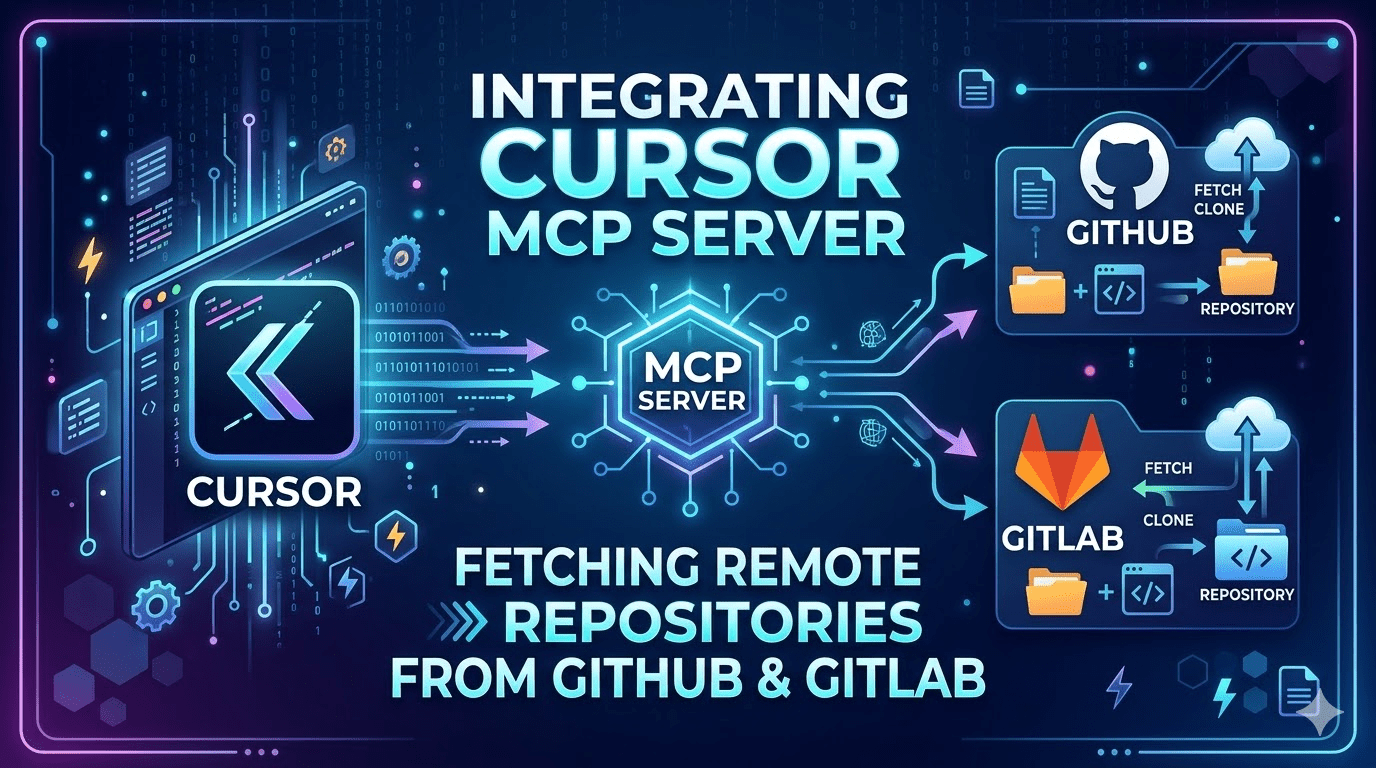
How MCP servers eliminate the clone-browse-copy loop and give AI agents direct, structured access to any private repository.
The Problem Nobody Talks About
Every developer working across multiple projects eventually hits the same wall: you need to reference, port, or mirror something from another repository — a flow you built six months ago, a service pattern from a sister project, a component you know works — and the only way to get there is to clone the repo, hunt through an unfamiliar folder structure, copy what you need, and manually adapt it.
This loop is broken in three distinct ways:
It’s slow. Cloning a large monorepo to extract three files is wasteful by any measure — bandwidth, disk, and cognitive overhead.
It doesn’t scale. When your stack spans five repositories across two organisations and two platforms (GitHub and GitLab), the friction compounds. You end up with stale local clones cluttering your disk, or worse, you skip the reference entirely and rewrite from memory.
AI agents can’t participate. The most important breakage: when you hand a task to an AI coding agent, it can only reason about what’s in its context. A remote private repository is invisible to it. The agent cannot help you mirror, compare, or adapt code it cannot read.
The solution is not a better search interface or a smarter clone strategy. It’s a fundamentally different model: mount the remote repository as a live filesystem that the agent can navigate directly.
What MCP Actually Does Here
Model Context Protocol (MCP), introduced by Anthropic in late 2024, is a standardised interface for giving AI agents access to external tools and data sources. An MCP server is a lightweight process that exposes a defined set of tools — functions the agent can call — and manages the underlying API communication on your behalf.
For Git platforms, MCP servers translate filesystem-like operations into platform API calls:
| What you’d do locally | What the MCP server does |
|---|---|
ls src/features/ | GET /repos/{owner}/{repo}/contents/src/features/ |
cat src/features/auth/AuthService.ts | GET /repos/{owner}/{repo}/contents/src/features/auth/AuthService.ts → base64 decode |
grep -r "usePayment" src/ | GET /search/code?q=usePayment+repo:{owner}/{repo} |
git log --oneline src/services/ | GET /repos/{owner}/{repo}/commits?path=src/services/ |
The agent never sees the API calls. It sees tools: list_directory, get_file_contents, search_code, get_commits. It navigates the repository the same way it would navigate your local project — by calling tools, reading responses, and reasoning about what it finds.
The critical difference from a local clone: nothing is downloaded until the agent specifically requests it, and nothing persists to disk unless you explicitly ask for it.
The Two Servers You Need
GitHub — @modelcontextprotocol/server-github
The official MCP server maintained by Anthropic. It wraps the GitHub REST API and exposes tools for browsing, reading, and searching repositories.
{
  "mcpServers": {
    "github": {
      "command": "npx",
      "args": ["-y", "@modelcontextprotocol/server-github"],
      "env": {
        "GITHUB_PERSONAL_ACCESS_TOKEN": "ghp_..."
      }
    }
  }
}
Core tools exposed:
list_directory— list files and folders at a pathget_file_contents— read a file by pathsearch_repositories— find repos by name/topicsearch_code— full-text code search across a repoget_commits— commit history for a file or branchcreate_or_update_file— write back (disable if read-only is preferred)
Token requirements (classic PAT, not fine-grained):
repo— full access to private repositoriesread:org— required if your repos live under an organisation namespace
GitLab — @yoda.digital/gitlab-mcp-server
A community-maintained server that maps GitLab’s project API to the same navigational model. Works with both gitlab.com and self-hosted instances.
{
  "mcpServers": {
    "gitlab": {
      "command": "npx",
      "args": ["-y", "@yoda.digital/gitlab-mcp-server"],
      "env": {
        "GITLAB_PERSONAL_ACCESS_TOKEN": "glpat_...",
        "GITLAB_URL": "https://gitlab.com",
        "GITLAB_READ_ONLY": "true"
      }
    }
  }
}
Token requirements (GitLab PAT):
read_api— browse, search, list projectsread_repository— access file contents
GITLAB_READ_ONLY: true is worth understanding: Cursor enforces a 40-tool limit per MCP server. In read-write mode, the GitLab server exposes create, update, merge request, and pipeline tools — most of which you don’t need for a browse/mirror workflow, and their presence crowds out the tools you do need. Read-only mode trims the toolset to exactly what matters.
For self-hosted GitLab, change GITLAB_URL to your instance:
"GITLAB_URL": "https://gitlab.yourcompany.com"
Full Configuration
Place this in ~/.cursor/mcp.json (global, available across all projects):
{
  "mcpServers": {

    "github": {
      "command": "npx",
      "args": ["-y", "@modelcontextprotocol/server-github"],
      "env": {
        "GITHUB_PERSONAL_ACCESS_TOKEN": "ghp_YOUR_TOKEN"
      }
    },

    "gitlab": {
      "command": "npx",
      "args": ["-y", "@yoda.digital/gitlab-mcp-server"],
      "env": {
        "GITLAB_PERSONAL_ACCESS_TOKEN": "glpat_YOUR_TOKEN",
        "GITLAB_URL": "https://gitlab.com",
        "GITLAB_READ_ONLY": "true"
      }
    }

  }
}
After saving, restart Cursor and verify at Settings → Tools & MCP. Both servers should show green status. If you see yellow, Node.js < 18 is the most common cause — node --version to check.
Token Strategy
Scope minimalism
Request only what the workflow needs. For a read-only browse/mirror setup:
| Platform | Scope | Why |
|---|---|---|
| GitHub | repo | Umbrella scope covering private repo contents |
| GitHub | read:org | Required for organisation-owned repos |
| GitLab | read_api | Browse, search, list |
| GitLab | read_repository | File contents |
Do not request write, admin, or delete scopes. The agent will never need them for this workflow, and absent scopes cannot be exploited.
One token, full namespace coverage
Both tokens operate at the account level — they cover every repository your account owns or is a collaborator on. You do not need per-repository tokens. This is the correct model: one credential, managed in one place, revocable in one action.
SSO organisations (GitHub)
If any of your target repos belong to a GitHub organisation with SAML SSO enforced, there is a mandatory second step after token creation that is easy to miss:
Configure SSO → Authorise → [Organisation Name]
Without this authorisation, the token will return 401 on all org-owned repos regardless of scopes. The authorisation button appears on the token’s detail page in GitHub settings.
Rotation
GitLab enforces a maximum 365-day expiry on PATs. Set a calendar reminder. GitHub classic PATs have no forced expiry, but rotating annually is good hygiene. Store both in your password manager, not in dotfiles or shell profiles.
What the Agent Can Now Do
With both servers active, Cursor’s agent operates with direct read access to any repository in your account. The practical capability shift:
Discovery without paths:
Find everything related to the PaymentFlow feature in org/project-b
The agent searches code, lists directories, follows import chains — building a complete file map without you knowing any paths in advance.
Cross-repo comparison:
Compare my local AuthService.ts with the equivalent in project-b
and tell me what's different
The agent reads the remote file, reads your local file, diffs them, and reports structural and logic differences.
Agentic mirroring:
Mirror the NotificationFlow from project-b into my current project,
adapting imports and folder structure to match what's here
The agent discovers all files in the flow, reads each one, maps dependencies, resolves path conflicts against your local structure, and generates adapted versions — before writing anything.
Dependency auditing:
What third-party packages does the reporting module in project-b depend on
that I don't have in my current package.json?
Important Constraints
Search index lag. GitHub and GitLab code search indices are not real-time. A file committed in the last few minutes may not appear in search results yet. For very recent changes, navigate by path directly rather than searching.
Binary files. The servers return base64-encoded content for all files. The agent handles text decoding automatically, but binary assets (images, compiled artifacts, lock files with unusual encoding) may not parse cleanly. This rarely matters for code mirroring workflows.
Rate limits. GitHub’s search API allows 30 requests per minute for authenticated users. For large discovery operations across many files, the agent may need to pace itself. The server handles 429 responses gracefully, but very broad searches against large repos can be slow.
Private forks. A token scoped to your account covers repos you own. It does not cover private repos in organisations where you are a member but not an explicit collaborator. If you need access to specific org repos, confirm collaborator status or use an organisation-scoped token.
The agent sees what you see. MCP servers respect the same access controls as the underlying API. The agent cannot access repos your token cannot access. This is a feature, not a limitation — it means the setup is safe to use with organisation credentials without risk of cross-boundary access.
The Architectural Shift
The deeper value here is not convenience. It’s that remote codebases become first-class context for AI-assisted development.
Before MCP, an AI agent’s knowledge of your codebase was bounded by what you pasted into the conversation or what existed in the currently open project. Every cross-repo task required manual translation — you as the bridge between what the agent could see and what you needed it to reason about.
With platform MCP servers, that boundary dissolves. The agent can reason about your entire development surface — current project, historical projects, team repositories, reference implementations — as a unified, navigable space. The clone-browse-copy loop is not optimised; it’s eliminated.
The repository stops being a destination you visit. It becomes infrastructure the agent can query.
Quick Reference
# Verify Node version (must be ≥ 18)
node --version

# Test GitHub token manually
curl -H "Authorization: Bearer ghp_YOUR_TOKEN" \
  https://api.github.com/user

# Test GitLab token manually
curl -H "PRIVATE-TOKEN: glpat_YOUR_TOKEN" \
  https://gitlab.com/api/v4/user

# MCP config location
~/.cursor/mcp.json          # global (all projects)
.cursor/mcp.json            # project-local (overrides global)
Cursor Settings → Tools & MCP
  ● github    active    [N tools]
  ● gitlab    active    [N tools]
The pattern generalises beyond GitHub and GitLab. Any platform with an API and an MCP server implementation — Bitbucket, Azure DevOps, Gitea — slots into the same model. The agent interface stays identical regardless of the underlying platform.